Choosing the right clinic billing software can feel overwhelming. This software automates and manages the financial side of a medical practice, from creating bills and processing payments to tracking revenue. With many options that promise higher collections and less admin time, knowing where to start is hard. The choice matters. Your billing system is the financial engine of your practice. The wrong one can cause lost revenue, frustrated staff, and compliance risks. The right one gives clarity and speed. This guide explains what to look for and how to pick a great fit for your clinic.
What Is Clinic Billing Software
Beyond basic invoices, modern clinic billing software streamlines the flow from services to payment and reporting. If new to digital records, start with this primer on Electronic Medical Records EMR.
Many tools are part of an integrated platform, so billing connects with other operations:
Electronic Health Records EHR. Clinical notes and treatment details feed the bill. See EHR vs EMR: what’s the difference.
Appointment Scheduling. Start billing directly from the calendar at checkout.
Inventory Management. Products used during treatment drop into the invoice.
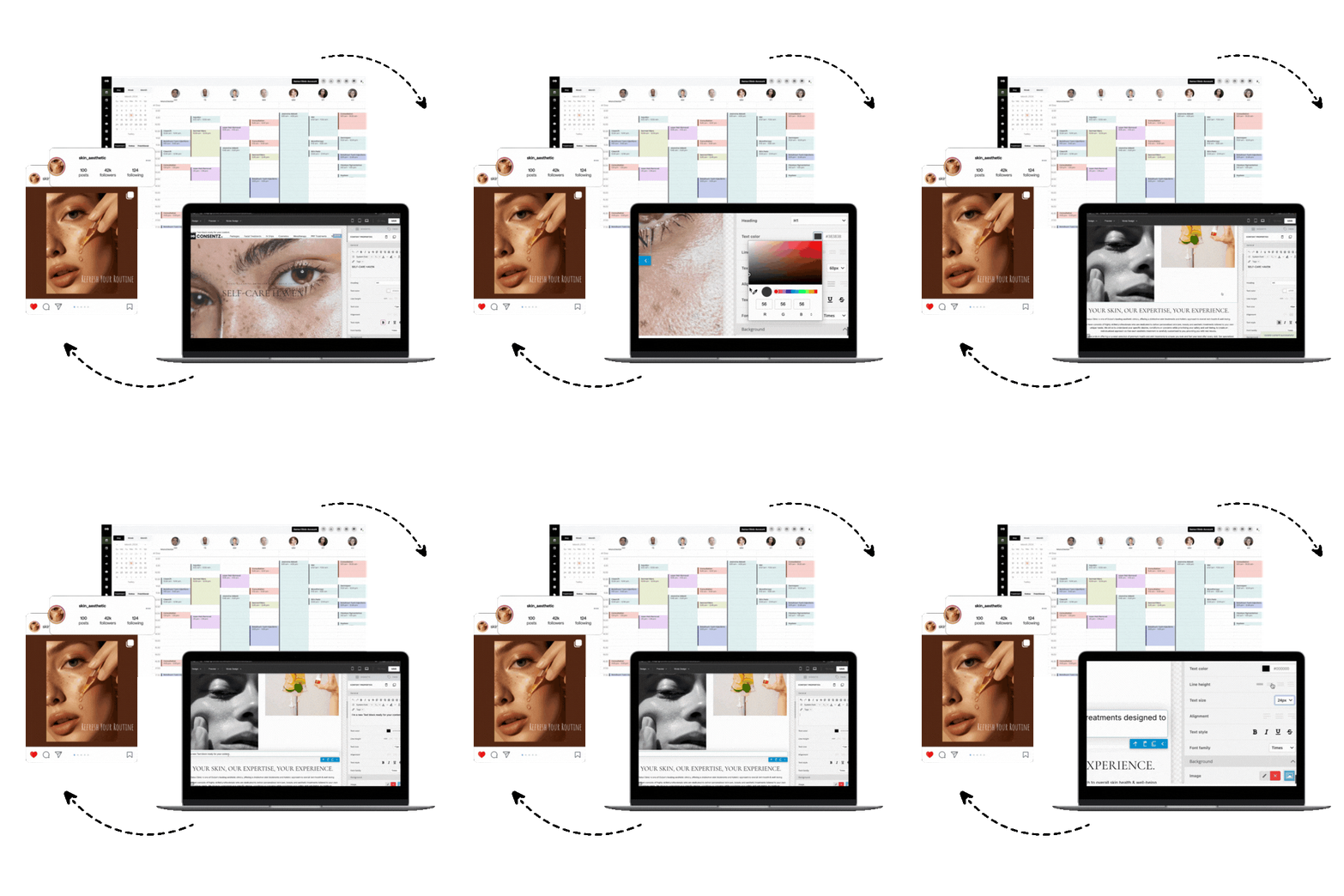
Integrated systems like Consentz build billing into the entire patient journey, from booking to post treatment follow up. That creates a single source of truth for clinical and financial data.
Clinic Billing Software vs Revenue Cycle Management RCM Services
You have two primary approaches.
Clinic Billing Software. A do it yourself model. Your team runs billing internally, keeps full control, and gets direct access to data. Often more cost effective for small or straightforward practices.
RCM Services. A third party handles claims through collections. Good for larger or complex insurance practices. You offload work but lose some control and pay more.
Many clinics use a hybrid, handling daily tasks in software and leaning on vendor support for edge cases.
Why Use Clinic Billing Software, The Benefits and Outcomes
Software is not just for sending invoices. It can reshape your revenue cycle and deliver real results.
1. Increased Efficiency and Time Savings
Manual billing is slow and repetitive. Automation creates invoices, sends reminders, processes cards, and posts payments. Staff get time back for patient facing work.
2. Improved Financial Performance
Fewer manual errors mean cleaner claims and faster payments. Automated reminders improve patient collections. Practices that adopt automation often see a drop in days in accounts receivable.
3. Enhanced Data and Reporting
You need clear visibility. Modern tools show real time dashboards and reports for revenue per patient, service performance, and outstanding balances. Combine analytics from Consentz with proven aesthetic clinic marketing strategies to turn insights into growth.
Must Have Features for Clinics, The Practical Checklist
Invoicing and Payment Processing
Create professional invoices on desktop or iPad. Support cards, online payments, and in person POS. Stripe level gateway support is standard.
Patient Financial Management
Use a patient ledger for all transactions, balances, and prepaid packages or courses. Make statements simple to send.
Integrated Reporting and Analytics
Demand more than transaction lists. Track revenue by practitioner, service, and location. Real time KPI dashboards are now essential.
Stock and Inventory Control
For aesthetics and dermatology, billing ties to product usage. Look for batch tracking for items like botulinum toxin and automatic stock deductions during billing.
Security and Compliance
Protect patient and financial data. Expect encryption in transit and at rest, for example SSL and AES 256, and secure hosting such as AWS. Look for support for HIPAA in the United States and GDPR in the United Kingdom. United States buyers can also review the aesthetic clinic software guide for the USA.
Denial and Appeal Management
Clean claims and strong collections depend on how you prevent denials and how you overturn them when they occur.
What denial management includes
Prevent. Catch issues before submission with eligibility checks, authorization verification, and edit rules.
Detect. Identify denials fast with electronic remittance posting and payer reason codes mapped to clear categories.
Resolve. Work targeted queues, correct and resubmit, or file timely appeals with the right documentation.
Improve. Analyze root causes and fix upstream workflows and training.
Features to look for
Real time eligibility and benefits checks at scheduling and check in
Claim scrubbing with payer specific rules and NCCI edits
CMS 1500 and UB 04 support with attachments and electronic secondaries
ERA 835 auto posting with reason code mapping and automated balance moves
Worklists that route denials by code, payer, location, and staff role
Appeal letter templates, notes, and document management
Timers that track filing limits and appeal deadlines
Analytics for denial rate, first pass yield, top denial reasons, days to resubmission, and appeal overturn rate
A simple five step workflow
Verify eligibility and authorizations before the visit
Scrub and submit claims daily, monitor rejections within 24 hours
Post ERAs automatically, route denials to the right queue the same day
Correct or appeal within payer deadlines, attach all required evidence
Review denial trends monthly, fix charge capture and documentation at the source
Targets to guide performance
First pass acceptance above 90 percent
Overall denial rate under 5 to 7 percent depending on specialty and payer mix
Average days to resubmission under 7 days
Appeal overturn rate tracked by payer and reason
Note for cash pay aesthetics. If you rarely file insurance, you still benefit from clean patient pay processes, solid documentation, and accurate package tracking. If you expand into insurance, choose software that can grow into the denial management features above or integrate with an RCM partner.
Feature Needs by Clinic Type and Operating Model
Solo Practitioners. Choose simple and affordable. An all in one tool combining scheduling, notes, and billing reduces admin. An iPad app is efficient for chairside payments.
Multi Clinician Practices. You need provider level tracking, role based access, and stronger reporting.
Aesthetics and Medspas. You need prepaid courses, memberships, retail sales, and commission tracking. An integrated system that links billing to photo documentation and consent, like Consentz, fits this visual and package driven specialty. For more detail, see the 2025 guide to clinic billing software for aesthetics.
Buying Considerations for Clinic Billing Software
Total Cost of Ownership. Look beyond monthly fees. Check costs for setup, training, support, and payment processing.
Integration Capabilities. Confirm connections to accounting tools such as Xero and communications such as Twilio. If lead tracking matters, compare CRM options for cosmetic clinics.
Scalability. Plan for more providers, locations, or services without a platform change.
Ease of Use. Always test a live demo or trial. A smooth front desk and clinician experience is vital.
Top 21 Clinic Billing Software Solutions
The market is crowded. This curated list groups top options by strengths and ideal use cases.
Specialty specific clinic billing platforms, aesthetics, ophthalmology, PT, and niche
1. Consentz
Consentz is an iPad first clinic platform for private pay medical aesthetics. Treatment, consent, inventory, and checkout sit in one flow. It shines for single or multi location medspas that want cloud convenience and tight stock to invoice tracking rather than insurance heavy RCM. Capterra 4.3 out of 5 across 17 reviews, from about £49 per month.
Revenue and RCM moves that matter:
Start invoices chairside on the iPad and finish at the front desk without breaking the encounter
Take online or in person card payments through Stripe, including Stripe Terminal
Tie billing to inventory with batch and lot tracking for injectables
Sync sales and settlements to Xero for simpler month end
Getting started, integrations and compliance
Online sign up and iPad app. Stripe, Xero, Twilio. Stripe Terminal POS. Multi location support. AES 256 encryption and ISO 27001 accreditation. United States clinics should confirm HIPAA BAA availability.
Pros and Cons:
Pro, iPad native workflow that unifies consent, notes, and checkout
Pro, Inventory linked billing gives precise control of usage and costs
Con, No insurance claims or clearinghouse style RCM
Con, Back office admin has a learning curve
2. WebPT
WebPT is the rehab therapy standard for PT, OT, and SLP. It offers EMR, billing, and full RCM. Claim logic and scale fit insurance first therapy operations. G2 4.4, Capterra 4.2, custom pricing.
Revenue and RCM moves that matter:
Rehab specific scrubbing with the 8 minute rule and NCCI checks
Integrated clearinghouse with auto posting of ERAs
Digital intake and eligibility, batch CMS 1500 creation
Patient pay through cards on file, online payments, statements, and plans
Getting started, integrations and compliance
Guided training and migration. 60 plus partners including Worldpay. Scales to large groups. HIPAA BAA. SOC 2 aligned.
Pros and Cons:
Pro, Rehab specific claim logic reduces denials
Pro, Choice of in house billing or full service RCM
Con, Custom pricing can feel high
Con, Some users report performance issues
3. Nextech RCM
Nextech RCM combines outsourced billing with its specialty EHR and PM for dermatology, ophthalmology, plastics, and med spas. Expect dedicated specialists and integrated patient pay. G2 4.3, Capterra 4.0, quote based pricing.
Revenue and RCM moves that matter:
End to end claims, coding review, submissions, denials, and A R cleanup
Real time eligibility and ERA posting through TriZetto
Stripe powered terminals, portals, and cards on file
Med spa POS, packages, memberships, and financing
Getting started, integrations and compliance
Dedicated onboarding and a named RCM specialist. TriZetto, Stripe, CareCredit. Multi location. HIPAA BAA provided.
Pros and Cons:
Pro, Specialty focused service with reported collections lift
Pro, Modern payment stack with terminals and financing
Con, Clearinghouse choices centered on TriZetto
Con, Heavy facility billing needs vetting
4. Compulink Healthcare Solutions
Compulink targets eye care, dermatology, and orthopedics with EHR, PM, and RCM. It blends insurance automation with cash pay tools and optional in house RCM. Cloud or on premise. G2 3.6 of 5, Capterra 4.1 of 5, quote based.
Revenue and RCM moves that matter:
Specialty workflows, SMART Billing logic, and edit worklists
Eligibility, submissions, and ERA posting through PracticeWatch
Online bill pay and text to pay with pre payment requests
Waystar EDI and multi EDI options
Getting started, integrations and compliance
Cloud or on premise. Live webinar training. Phreesia, Waystar, optical POS. Multi location. ONC Certified. HIPAA BAA.
Pros and Cons:
Pro, Deep specialty content for eye, derm, and ortho
Pro, Strong revenue automation with Waystar
Con, Noticeable learning curve
Con, Clearinghouse hiccups reported in the past
5. Claimocity
Claimocity is a mobile charge capture and full service RCM platform for inpatient and post acute rounding teams. It automates coding, submissions, and follow up, with facility EHR integrations. Capterra 4.5 of 5, from 499 dollars per user per month.
Revenue and RCM moves that matter:
AI drafts encounters with predicted CPT and ICD plus missed visit alerts
End to end RCM, coding to A R follow up and credentialing
Integrations with Epic, Cerner, and PointClickCare
A R tracker with optional link to an ambulatory PM
Getting started, integrations and compliance
Fast rollout on iOS, Android, and web. Prebuilt PracticeSuite connector. Thousands of facility integrations. ONC 2015 Cures. HIPAA aligned with MFA. United States based support.
Pros and Cons:
Pro, Purpose built for rounding, reduces missed charges
Pro, Strong facility connectivity
Con, Limited cash pay features like packages or retail POS
Con, Not ideal as a standalone clinic PM
All in one cloud suites for small and midsize clinics
1. Tebra
Tebra combines EHR, PM, billing, and patient engagement for insurance based ambulatory clinics. It supports solo to midsize practices with ONC certification and MIPS support. G2 4.1 of 5, Capterra 3.9 of 5, quote based.
Revenue and RCM moves that matter:
Submit professional CMS 1500 and institutional UB 04 claims
Real time eligibility and ERA auto posting
POS terminals, saved cards, Apple Pay and Google Pay, automated reminders
Integrated TriZetto clearinghouse
Getting started, integrations and compliance
Guided onboarding and migrations. TriZetto, Jopari, Tebra Payments, Stripe. WisePOS E support. Multi location. HIPAA BAA. HITRUST certified telehealth.
Pros and Cons:
Pro, End to end suite with clearinghouse integration
Pro, Patient payment stack that shrinks A R days
Con, Some billing tools still need Windows only components
Con, Attachment fees can add cost
2. DrChrono
DrChrono is a mobile first EHR and PM with integrated billing and optional RCM. The iPad and iPhone apps align documentation and revenue capture. G2 3.5, Capterra 3.9, quote based.
Revenue and RCM moves that matter:
Electronic filing of CMS 1500 and UB 04
Eligibility from the chart and ERA auto posting
Payments via saved cards, portal, payment links, and iOS readers
A R dashboards, automated superbills, and prepaid packages
Getting started, integrations and compliance
Guided implementation and migration. ePS and TriZetto clearinghouses. DrChrono Payments on Stripe and Square. Multi location. HIPAA BAA. ONC certified.
Pros and Cons:
Pro, Strong iPad and iPhone experience
Pro, Complete revenue tools from eligibility to patient pay
Con, Pricing is not transparent
Con, No native Android EHR app
3. PracticeSuite
PracticeSuite is an all in one cloud EHR, PM, and RCM platform for insurance driven ambulatory groups and billing services. It scales from solo to multi location. G2 4.3 of 5, Capterra 4.0 of 5, custom quote.
Revenue and RCM moves that matter:
CMS 1500 and UB 04 automation with CCI edits and ERA auto posting
Batch or on demand eligibility, denial worklists
Patient pay with EMV terminals, cards on file, installment plans, QuickPay links
A R dashboards, 140 plus financial reports, and e superbills
Getting started, integrations and compliance
Free training and migration utilities. TriZetto. USIO payments. Central billing for multi location. HIPAA BAA and SOC 2.
Pros and Cons:
Pro, Strong claims automation and denial workflows
Pro, Flexible patient payment options
Con, Quote based pricing with add ons
Con, UI learning curve noted by users
4. WRS Health
WRS Health is an all in one cloud suite for specialty outpatient practices that bill insurance. It links charting to claims and collections with telehealth and a portal. G2 4.5, Capterra 4.5, pricing by quote.
Revenue and RCM moves that matter:
Charge capture flows to scrubbed CMS 1500 claims
Eligibility at check in and ERA auto posting
Integrated processing and online bill pay
Real time A R reports and superbills for out of network
Getting started, integrations and compliance
Guided onboarding and migrations. Payment gateways. Multi location support. ONC 2015 Edition. HIPAA BAA.
Pros and Cons:
Pro, Claim scrubbing that reduces denials
Pro, Telehealth and portal that feed billing
Con, Opaque pricing with implementation fees
Con, Some users cite slow support
5. DocVilla
DocVilla is a cloud EHR and PM for small to midsize clinics across many specialties. It supports cash pay and insurance workflows, with full mobile apps. Capterra 5.0 of 5, from 100 dollars per provider per month.
Revenue and RCM moves that matter:
CMS 1500 claims with scrubbing, real time eligibility, ERA posting
Payments via Stripe, HSA or FSA, secure links, and stored cards
Direct Primary Care subscriptions for automated memberships
ICD 10 superbills for out of network reimbursement
Getting started, integrations and compliance
Guided migration and training. Stripe, Surescripts, Quest and Labcorp, Fullscript. Multi location scheduling. HIPAA with 256 bit encryption. Confirm BAA during contracting.
Pros and Cons:
Pro, All in one with DPC subscriptions and claims
Pro, Strong mobile apps
Con, No confirmed UB 04 support
Con, Learning curve and possible onboarding fees
Enterprise and multispecialty ambulatory suites with RCM options
1. athenahealth
athenaOne unifies EHR, PM, and billing for multi specialty ambulatory groups. It offers strong claim automation and A R management with mobile apps and a partner marketplace. G2 3.4 of 5, Capterra 3.8 of 5, pricing at 4 to 9 percent of collections.
Revenue and RCM moves that matter:
Clean CMS 1500 claims through a rules engine and integrated clearinghouse
Real time eligibility and ERA auto posting
Patient payments through portal and text to pay with cards on file
A R dashboards, denial services, and auto updated superbills
Getting started, integrations and compliance
About 4 to 6 week go live with a dedicated rep. Bundled clearinghouse. Marketplace integrations such as QuickBooks and InstaMed. HITRUST certified. HIPAA BAA.
Pros and Cons:
Pro, Rules engine with integrated clearinghouse
Pro, Mature mobile apps and marketplace
Con, Percent of collections can be costly
Con, Facility claims often need athenaIDX
2. eClinicalWorks
eClinicalWorks pairs a cloud EHR with PM and optional full service RCM for multi specialty groups. Strong digital payments and enterprise reporting. G2 3.7 of 5, Capterra 3.3 of 5, from 599 dollars per provider per month.
Revenue and RCM moves that matter:
Professional claim scrubbing with denial management and clearinghouse options
Eligibility and ERA auto posting
Text2Pay, card on file, portal, and kiosks
Business Optimizer analytics for A R and denials
Getting started, integrations and compliance
No charge migration and initial training. Waystar, TriZetto, Optum. Centralized billing for multi site. HIPAA compliant. Azure hosting. QHIN designation.
Pros and Cons:
Pro, End to end RCM automation with analytics
Pro, Built for enterprise complexity
Con, Complex UI and learning curve
Con, Add on fees for extras
3. CareCloud
CareCloud serves larger ambulatory groups with PM, EHR, and modern patient payments through Breeze. Software only or Concierge RCM options. G2 3.3 of 5, Capterra 3.6 of 5, from 349 dollars per provider per month.
Revenue and RCM moves that matter:
CollectiveIQ scrubber to reduce denials
Real time eligibility and ERA auto posting across locations
Breeze and CareCloud Pay with text to pay and wallets
A R analytics and integrated clearinghouse connectivity
Getting started, integrations and compliance
Guided implementation and EDI enrollment. iPad kiosks. ONC certified EHR. SOC 2 Type 2. HIPAA BAA.
Pros and Cons:
Pro, Advanced rules and denial management
Pro, Consumer grade payments improve collections
Con, Mixed support reviews
Con, Clearinghouse constraints can appear
4. CureMD
CureMD is a cloud EHR and PM with built in billing and optional RCM. It supports professional and institutional claims. G2 3.2 of 5, Capterra 3.6 of 5, from 395 dollars per provider per month, RCM around 4 percent of collections.
Revenue and RCM moves that matter:
837P and 837I claims with integrated submissions
Real time eligibility and ERA auto posting
POS, cards on file, payment plans, and text or email to pay
A R dashboards and superbills for out of network
Getting started, integrations and compliance
Dedicated setup and migration. CureConnect clearinghouse with Optum iEDI backup. Global Payments. ONC 2015 Cures. EHNAC. SOC 2 Type 2. ISO 27001 2022.
Pros and Cons:
Pro, Handles both professional and institutional claims
Pro, Strong patient financial tools
Con, Reviews cite performance and support variability
Con, Advanced analytics may require add ons
Claims and billing first tools, clearinghouse oriented
1. CollaborateMD
CollaborateMD focuses on claim to cash automation without forcing a bundled EHR. Great for clinics that want a claims first backbone. G2 4.4, Capterra 4.1, from 225 dollars per month.
Revenue and RCM moves that matter:
CMS 1500 and UB 04 with built in edits and tracking
Real time eligibility and unlimited ERA auto posting
Patient pay through portal, cards on file, automated statements, Sunbit financing
Batch EDI, clean data movement, and on demand superbills
Getting started, integrations and compliance
Guided onboarding and migration. HL7 links to many EHRs. Free mobile charge capture. Multi location. HIPAA BAA.
Pros and Cons:
Pro, Deep clearinghouse integration speeds cash
Pro, Patient collections stack is strong
Con, No full native mobile PM app
Con, Extra fees for non preferred EHR interfaces and mailed statements
2. EZClaim
EZClaim delivers straightforward billing and PM for small to midsize clinics and billing services. Cloud or desktop. G2 4.0 of 5, Capterra 4.6 of 5, from 169 dollars per month.
Revenue and RCM moves that matter:
CMS 1500 and UB 04 with an intuitive workflow
Eligibility checks and ERA posting
Cards on file, text or email pay links, and terminals
A R aging, EDI report retrieval, and denial follow up lists
Getting started, integrations and compliance
Onboarding coach. Cloud setup in 24 to 48 hours. Connects to TriZetto, Waystar, Availity, and BillFlash. HIPAA compliant with BAA. PCI certified payments.
Pros and Cons:
Pro, Flexible claims first design with clearinghouse choice
Pro, Strong patient payment options
Con, Not a full EHR
Con, Clearinghouse access and extra company files add cost
3. MedEZ
MedEZ is a behavioral health EHR and billing suite that spans inpatient psych, residential, and outpatient SUD. It supports facility and professional claims. Cloud or on premise. Capterra 4.8 of 5, pricing by quote.
Revenue and RCM moves that matter:
837I UB 04 and 837P CMS 1500
ERA auto posting, eligibility may be limited natively
Patient portal payments for copays and deductibles
External clearinghouses and complex multi entity billing
Getting started, integrations and compliance
Vendor led implementation with migration and EDI setup. External clearinghouses and gateways. Multi entity billing. HIPAA compliant. BAA available.
Pros and Cons:
Pro, Purpose built for behavioral health with facility and professional billing
Pro, Flexible deployment
Con, Learning curve and limited native eligibility tools
Con, Outsourced RCM reviews are mixed
4. Medisoft
Medisoft is a long standing small practice PM for insurance billing. Stable, budget friendly, and tuned for claim throughput. Often hosted by resellers for cloud access. Capterra 4.4 of 5, from 209 dollars per month.
Revenue and RCM moves that matter:
CMS 1500 with charge entry alerts and edits
Real time eligibility and ERA auto posting
Cards on file, payment plans, and portal payments
Deep eMEDIX clearinghouse integration for claim status
Getting started, integrations and compliance
Reseller led setup and migration. HIPAA compliant hosting with BAAs. Integrates with CGM APRIMA EHR, eMEDIX, and CGM PAY.
Pros and Cons:
Pro, Proven RCM stack for small practices
Pro, Budget friendly with hosted options
Con, Desktop first with third party hosting for browser access
Con, Works best with eMEDIX
On premise or client server deployable options
1. MicroMD
MicroMD serves ambulatory clinics, multispecialty groups, and CHCs with PM, EHR, and RCM. Deploy on premise or as hosted cloud. G2 4.2 of 5, Capterra 3.3 of 5, from 599 dollars per month.
Revenue and RCM moves that matter:
CMS 1500 and UB 04 with code scrubbing and status checks
Eligibility pre visit and ERA auto posting
POS, online bill pay, eStatements, and cards on file
Connections to Waystar, TriZetto, Availity, or direct payers
Getting started, integrations and compliance
Training and data conversion for cloud. Worldpay. Multiple clearinghouses. Analytics partners. Multi location and billing services. ONC Certified. HIPAA BAA. SOC 2 hosting.
Pros and Cons:
Pro, Flexible hosting and solid CHC or FQHC support
Pro, Wide clearinghouse and payment options
Con, Dated UI and heavier setup
Con, Reminders and analytics often need add ons
2. ChartLogic
ChartLogic is an ambulatory EHR and PM for specialty practices, especially surgical and ortho groups, with client server and hosted cloud options. Now part of CareCloud. Capterra 3.9 of 5, pricing on request.
Revenue and RCM moves that matter:
Professional and facility claims with a built in scrubber
Batch or real time eligibility
Cards on file, portal, and easy front desk copays
Superbills for out of network with A R dashboards
Getting started, integrations and compliance
Guided implementation and migration. HL7 and API interfaces. EDI with partners like RelayHealth. Multi practice capabilities. ONC certified. HIPAA aligned security.
Pros and Cons:
Pro, True on premise option with a cloud path
Pro, ASC facility billing support
Con, No transparent pricing and fewer public reviews
Con, Dated UI with a learning curve
3. Nexus
Nexus Clinical is a web based ambulatory EHR with integrated PM and billing for multi specialty groups. It emphasizes specialty charting and engagement while supporting core claims workflows. Capterra 4.5 of 5, Software Advice 4.5 of 5.
Revenue and RCM moves that matter:
Professional claims using configurable superbills and fee schedules
Real time eligibility and ERA auto posting
Front end collections with Stripe and Clover integrations
Option to integrate with third party PMs or use managed billing
Getting started, integrations and compliance
Onboarding and support included. NewCrop e Rx. Stripe and Clover for payments. DICOM imaging. Multi location. HIPAA. ONC certified.
Pros and Cons:
Pro, Specialty oriented EHR with telehealth and portal
Pro, Strong eligibility and online pay for front desk collections
Con, Cloud only with no self hosted option
Con, Facility billing details are limited
Additional Resources for Clinic Teams
Professional bodies such as MGMA publish guides and benchmarks for practice finance and technology. Trade journals and analyst sites can help compare platforms and share peer experiences.
Conclusion, Match Software to Your Clinic’s Size, Specialty, and Goals
The best clinic billing software is the one that fits your workflow and growth plan. A small physiotherapy practice and a multi location medical spa have very different needs. Focus on essential features, your operating model, and scalability. That will give you a system that simplifies billing and supports sustainable growth. If still comparing platforms, review the top aesthetic clinic management software picks. Explore how Consentz streamlines booking, charting, billing, and marketing in one place.
FAQ, Clinic Billing Software
What is the main purpose of clinic billing software
To automate the revenue cycle. Create accurate invoices, process patient payments securely, track performance with reports, and cut time spent on manual tasks.
How much does clinic billing software cost
Pricing varies. Standalone billing tools can start around 50 dollars per month. All in one practice systems range from about 80 to over 500 dollars per month per provider, depending on features, users, and support.
Can general accounting software like QuickBooks replace clinic billing software
QuickBooks is useful for bookkeeping but it is not a substitute for clinic billing software. It lacks specialty features such as treatment package management, EHR integration, claim scrubbing, and HIPAA focused tools.
What is the difference between an EHR and clinic billing software
An EHR manages patient charts, notes, and history. Billing software handles invoices, claims, and payments. The most efficient solutions integrate both so clinical actions trigger the right billing.
How does clinic billing software improve patient experience
Patients value convenience and clarity. Online payments, clear digital statements, and quick pay links by SMS make the process smoother. Fewer errors also reduce frustration. After payment, grow social proof with this review playbook for aesthetic clinics.