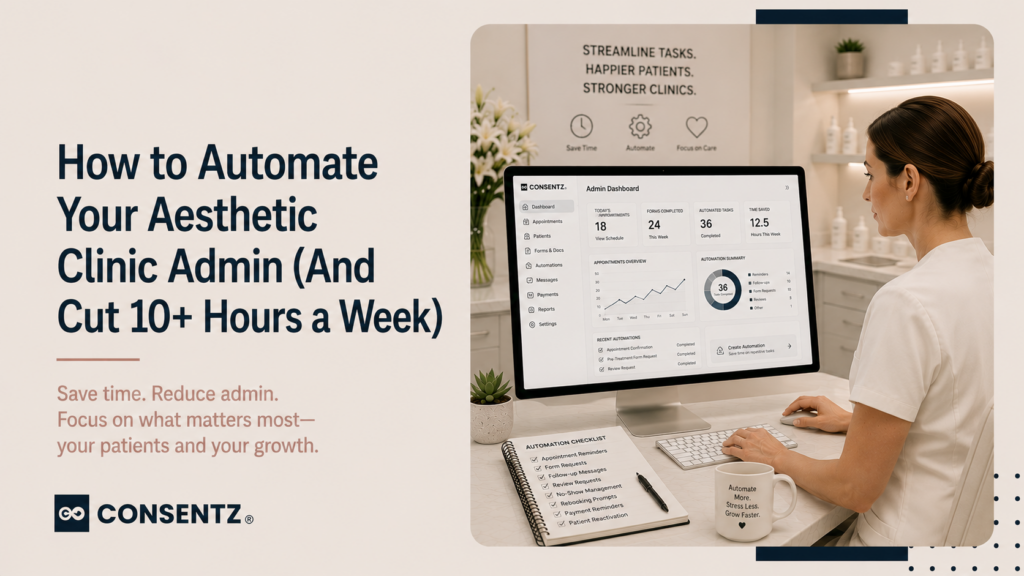
Most aesthetic clinic owners did not go into aesthetics to spend their days chasing consent forms, sending appointment reminders, manually re-engaging lapsed patients, generating monthly reports, and ringing round for cancellation slots. But that is exactly what happens in clinics that have not systematically replaced manual admin with automation.
Ten hours of recoverable admin time per week is a conservative estimate for a solo practitioner or small clinic team. At that rate, automation is not a luxury — it is the difference between a practice that scales and one that plateaus because the owner is fully occupied keeping it running.
Here are the seven admin tasks that should never require a staff member to do them manually — and what proper automation looks like for each.
1. Appointment reminders
Manually calling or texting patients before their appointment is the most time-consuming admin task in a clinic week — and one of the most reliably handled by automation. A two-message reminder sequence — SMS 48 hours before, email 24 hours before — runs without any staff involvement and reduces no-show rates by up to 38%. SMS messages have a 98% open rate and are read within 90 seconds of delivery.
Once configured in Consentz, reminder sequences fire automatically for every appointment, regardless of how busy the day is. A busy clinic day is exactly when manual reminder calls are most likely to be skipped — which is also when the cost of no-shows is highest.
2. Consent form delivery and chasing
When digital consent forms are linked to the booking, they are sent automatically when the appointment is confirmed — no staff action required. The patient receives the correct consent form for the booked treatment, completes it at home, and the signed form lands directly in their patient record.
Without this automation, a staff member has to identify which consent form to send, manually email or print it, follow up if it has not been returned, and file the response. For a clinic with 20 bookings per week, that is a meaningful time overhead per booking that disappears entirely with properly configured automation.
3. Patient recall campaigns
Reaching out to patients when their treatment interval is due is one of the highest-ROI activities in a clinic — and one of the most commonly left undone because it requires someone to pull a list, write a message, and send it manually. Automated recall sequences built around treatment type and last visit date run continuously without manual input.
The sequence triggers when a patient reaches their recall window (10 weeks for Botox, 6 months for fillers, 8 weeks for skin treatments), sends a personalised SMS, follows up with an email if no action is taken, and closes the sequence after a final message. Every patient who reaches the threshold gets contacted — not just the ones a staff member remembered to follow up.
4. Review requests
The single most important growth lever for most aesthetic clinics is Google review volume — and the most reliable way to grow it is an automated post-appointment review request. In Consentz, this fires as an SMS with a direct link to your Google profile within an hour of the appointment ending. Patients are at home, relaxed, and on their phones — exactly when a review request is most likely to be acted on.
This single automation, running consistently, moves a clinic from three new reviews per month to twenty or more — which compounds directly into local search visibility. For the full picture on how reviews fit into clinic growth, the local SEO guide for aesthetic clinics covers what review volume actually does to your Google ranking.
Bookings, consent forms, patient records, payments, marketing — Consentz is the aesthetic clinic software that puts it all in one place so you can focus on your patients, not paperwork.
5. Waiting list slot notifications
When a cancellation occurs, the manual approach is a staff member working through a list of patients, calling each one during a busy clinic day, hoping someone is available. An automated waiting list system notifies all matching patients simultaneously when a slot opens. The first to confirm gets the booking — no staff calls, no gaps in the diary.
This single automation typically recovers 60–70% of last-minute cancellations that would otherwise be lost revenue.
6. Stock reorder alerts
Running out of Botox mid-month because nobody noticed the stock was low is an entirely preventable problem. Stock management with reorder alerts fires automatically when a product balance drops below the threshold you set — giving you the lead time to order before you run out. Stock usage is automatically deducted at the point a treatment is recorded, so the balance is always accurate without manual stock counts.
7. Monthly reports
Pulling together monthly revenue, patient numbers, no-show rate, stock usage, and email campaign performance from separate tools takes hours if you are doing it manually. A clinic reporting dashboard that generates all five report categories automatically means the numbers are available on the first day of the month, not compiled over a week.
Automated reporting also removes the risk of the report being skipped because the month is too busy — which is precisely when the report would have shown you something important about utilisation, retention, or stock.
What automation does not replace
It is worth being clear about what automation cannot do. It cannot replace clinical judgement, the quality of the consultation, or the practitioner relationship that makes patients choose to return. A clinic that automates its reminders but delivers an impersonal patient experience has solved a small problem while leaving the bigger one untouched.
The point of automating admin is to free up the practitioner’s time and attention for the things that actually determine patient loyalty — the consultation, the result, the follow-up that feels personal. Building a patient pipeline and email marketing strategy still require human thinking and content. Automation runs the execution; the strategy is still yours.
Frequently asked questions
1. What admin tasks can actually be automated in a clinic?
In a properly configured clinic management system: appointment reminders (SMS and email), consent form delivery linked to booking, post-appointment review requests, treatment-interval recall messages, waiting list slot notifications, stock reorder alerts, and monthly performance report generation. Together these account for 8–12 hours of manual admin per week in a clinic with 20–30 appointments per week.
2. I spend three hours a day on admin — where do I start to cut it down?
Start with the tasks that repeat most often: appointment reminders and consent form delivery. These are the highest-frequency manual actions in most clinics and the easiest to automate in a single configuration session. Once those are running automatically, add recall campaigns and review requests. The stock and reporting automation can follow — they have less daily frequency but significant cumulative time impact.
3. Can consent forms really be automated or does the practitioner still need to be involved?
The sending and collection of consent forms can be fully automated — the right form for the booked treatment is sent automatically when the booking is confirmed, and the signed response is stored directly in the patient record without staff involvement. The practitioner’s involvement comes at the appointment itself, where they review the completed form and document that review. The automation removes the admin around the form; it does not remove clinical responsibility for the consent conversation.
4. What is the ROI of investing in clinic automation software?
For a solo practitioner billing £100–£200 per hour of clinical time: 10 hours of recovered admin per week is worth £1,000–£2,000 per week in equivalent clinical time — or time reclaimed for life outside the clinic. For a two-practitioner clinic with a receptionist, automation typically allows the same patient volume to be handled with less staff overhead. The recall campaign automation alone — recovering lapsed patients who would otherwise not return — typically generates more revenue per month than the software costs.
5. Can my receptionist use automation tools without any technical knowledge?
Yes. Consentz is designed to be used by clinic teams, not just technology-confident owners. Automation sequences are configured once — typically during onboarding with support from the Consentz team — and run without any ongoing technical management. The receptionist sees the results: fewer manual reminder calls, fewer consent form chasers, a waiting list that manages itself. The configuration layer is handled once, and the team benefits from it daily.