Most aesthetic clinic owners who are still on paper know they should switch. What stops them is not the decision — it is the perceived risk: losing data in a migration, disrupting appointments while staff learn a new system, and the sheer weight of ‘what about all the existing records?’
These fears are understandable and mostly solvable. The transition from paper to digital clinic management does not require a weekend of scanning, a clinic closure, or a hard cutover that leaves staff without access to anything. It requires a phased approach, realistic expectations, and a clear understanding of what ‘done’ actually looks like. This guide covers all of that — from the decision to switch through to the point where digital is fully embedded and paper is genuinely behind you.
Note: this guide is about the transition process — making the switch without disruption. The case for going paperless in your aesthetic clinic and the decision about which system to choose are covered in separate guides.
The three fears that stop most clinics switching — and the reality
Fear 1: ‘We will lose patient data in the migration
The reality: a migration is not a deletion. Your paper records do not disappear when you go digital — they stay in storage for the minimum retention period (8 years for adults in the UK). You are not transferring everything; you are starting fresh on the new system from a specific date and continuing from there. The only data that typically needs to move into the new system before go-live is active patient contact information — names, email addresses, phone numbers — which most clinics can export from their current booking system.
Fear 2: ‘Staff will not adapt — it will disrupt the clinic
The reality: staff adapt faster than most clinic owners expect, particularly when the new system removes friction they have been dealing with daily. A receptionist who has been manually printing and chasing consent forms embraces automated consent delivery quickly, because it removes one of their most tedious daily tasks. The disruption period is typically two to three weeks of adjustment, not months.
Fear 3: ‘We have to scan all the old records
The reality: you do not. Paper records in storage remain accessible for the retention period and are referenced if needed. New records from the go-live date are digital. Active patients are gradually transitioned: the next time they attend, their consent is collected digitally and their new records are created in the system. Within three to six months of going live, the majority of your active patient base has a digital record — without anyone scanning a single page.
Bookings, consent forms, patient records, payments, marketing — Consentz is the aesthetic clinic software that puts it all in one place so you can focus on your patients, not paperwork.
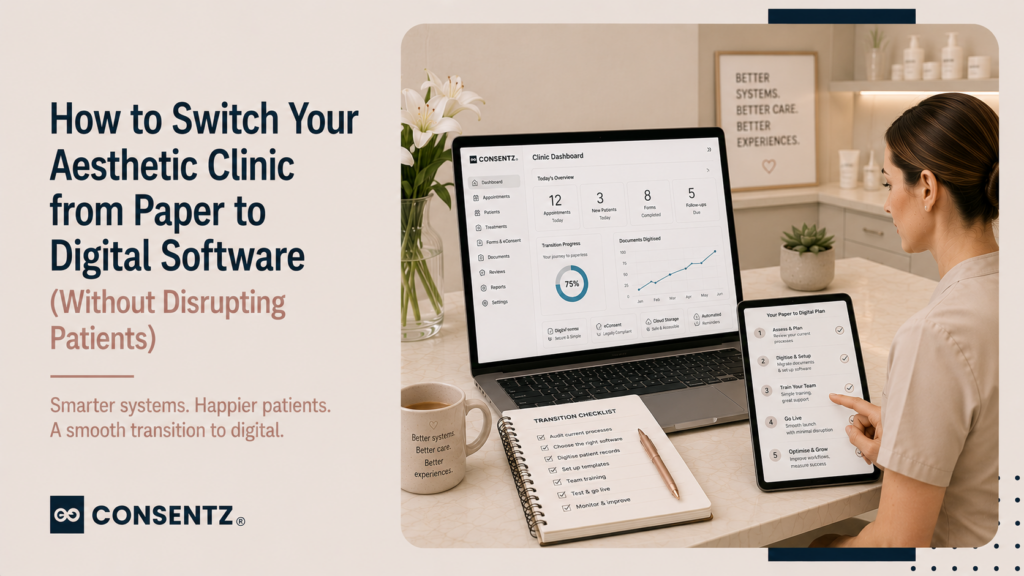
The 6-week transition plan
Weeks 1–2: Setup and configuration
Before your first patient uses the new system, configure the foundational elements: treatment menu with booking rules and durations, consent form templates per treatment type, staff logins with role-based access, automated reminder sequences, and deposit collection rules for online booking. Import active patient contact details from your current system or spreadsheet. Most platforms include onboarding support for this phase — use it.
Weeks 3–4: Parallel running
Run both systems simultaneously. New appointments are created in the digital system. Existing appointments booked in the old system are honoured there. This parallel period means no patient is affected — they have their appointment, it is in the system they were booked through, and the practitioner has access to both.
During this phase, practitioners get comfortable with the new system in real conditions — with the safety net of the old system still available. It also reveals any configuration gaps before the full cutover.
Week 5: Cutover — all new bookings in the digital system only
Stop taking new bookings in the old system. All incoming bookings — phone, online, walk-in — go into the digital system. Existing appointments from the old system are still honoured there as they fall due and clear. By the end of week 6, the last appointments from the old system will have taken place and the transition is complete.
Week 6 onwards: Full digital operation
The digital system is now the only active system. Paper records remain in storage but are not being added to. Any returning patient who does not yet have a digital record has one created at their next appointment — consent collected digitally, notes entered digitally, photographs stored in the system. This process completes naturally over the following months without any bulk scanning required.
Staff training without downtime
The most effective staff training approach for a clinic management system is:
- Role-specific training: reception staff train on booking, consent form dispatch, and check-in. Practitioners train on notes, photography, and treatment record completion. Owners train on reporting and admin. Nobody needs to learn the whole system.
- Training on a test patient: create a dummy patient record and practise the full journey — booking to consent to treatment note to checkout — before any real patients go through the new system.
- Cheat sheet for the first week: a one-page reference for the most common actions (how to book an appointment, how to check a consent form was received, how to add a treatment note) reduces the anxiety of the first few days significantly.
What patients notice — and what they do not
Patients notice: receiving their consent form by email before the appointment (positive — feels professional), receiving a reminder text the day before (positive — feels looked after), not having to fill in a paper form when they arrive (positive — saves time).
Patients do not notice: which system you are using, whether the practitioner is typing notes on an iPad or a laptop, or whether your patient database has changed. The patient experience of a digital clinic — for a well-configured system — is better than a paper clinic. The transition disrupts the back office, not the patient.
For the full picture of how each touchpoint in the patient journey maps to the software that supports it, how to build a 5-star patient journey covers the pre-appointment through to post-treatment and recall.
Frequently asked questions
1. How long does it take to set up a new clinic management system?
Two to three days of focused setup time is enough to configure the core elements — treatment menu, consent form templates, staff logins, reminder sequences, and deposit rules. Most platforms include onboarding support and guided setup, which accelerates this significantly. Full confidence in the new system typically takes four to six weeks, not months. The parallel running phase is specifically designed to give staff real-system experience without the risk of the old system being unavailable.
2. Do I need to digitize all my old paper records when I switch?
No. Paper records must be retained for the minimum retention period (8 years for adult patients in the UK) but do not need to be scanned into the new system. Keep them in their existing storage location and reference them if needed. From go-live, all new records are created digitally. Active returning patients have a digital record created at their next appointment — naturally, without bulk data entry. The transition is gradual rather than a sudden complete migration.
3. How do I train staff on new software without disrupting the clinic?
Role-specific training on a dummy patient record, before any real patients go through the system. This takes one to two hours per role and can happen in a morning before clinic opens. Supplement with a one-page cheat sheet for the first week. The parallel running period provides real-world practice with a safety net. Expect two to three weeks of reduced speed as staff build confidence, then return to normal — this is standard for any new system, regardless of how well-designed it is.
4. What data can I import from my old system?
At minimum, active patient contact information: name, email, phone number, and date of birth. If your current system can export appointment history or basic treatment notes in a standard format (CSV, Excel), these can often be imported to pre-populate patient records. Clinical notes, consent forms, and photographs from the old system typically cannot be directly imported, but they remain accessible in the old system for the retention period and do not need to be.
5. What if something goes wrong during the switch?
The parallel running phase exists specifically to prevent the scenario where something going wrong in the new system leaves you without access to patient information. During parallel running, your old system remains live and fully accessible. At the point of cutover, your patient data exists in the new system and your historical records exist in the old system (or in paper storage). Nothing is deleted. The risk in a digital migration is not data loss — it is configuration errors that require correction. Choose a platform with responsive support and those are resolved, not catastrophic.