Most aesthetic clinic owners have a loose process for receiving deliveries: the order arrives, the products go in the fridge, someone makes a note somewhere. It works well enough until a CQC inspection or a product recall reveals that the records do not exist in a usable form.
A goods received process is not complicated and takes under five minutes per delivery. But it needs to be documented, consistent, and linked to your injectable stock records and patient notes — and that is where most clinics fall short.
Why goods received records are a CQC requirement, not just good practice
For CQC-registered clinics — those offering regulated activities such as thread lifts, IV therapy, or surgical procedures — medicines management is one of the most closeFor CQC-registered aesthetic clinics offering regulated activities such as thread lifts or IV therapy, medicines management is one of the most scrutinised areas during inspection. The Safe domain requires robust systems covering how products are ordered, received, stored, used, and disposed of.
Goods received records are the start of that chain. Without them, you cannot demonstrate that your injectables came from a licensed supplier, that you checked the batch number and expiry date on arrival, that cold chain compliance was maintained, or that you could identify and quarantine affected stock in a product recall.
The MHRA requires organisations handling prescription-only medicines to maintain full traceability from purchase to patient. Every batch number logged at goods received needs to flow through to the treatment record and prescription note for the same product. For the full documentation picture across all CQC domains, see the CQC compliance guides.
What your goods received record must contain
Every delivery should be logged on the day it arrives, not reconstructed at month end from invoices. Each record needs:
- Date of delivery — the physical arrival date, not the order or invoice date
- Supplier name and order reference — so you can cross-check against their own records
- Product name and brand — specific: ‘Azzalure 125u’ not ‘Botox’, ‘Juvederm Ultra’ not ‘filler’
- Quantity received
- Batch number — taken directly from the packaging, this is your traceability reference
- Expiry date — from the packaging
- Condition on arrival — packaging intact, cold chain maintained, no visible damage
- Name of who checked the delivery — a named individual, not ‘reception’
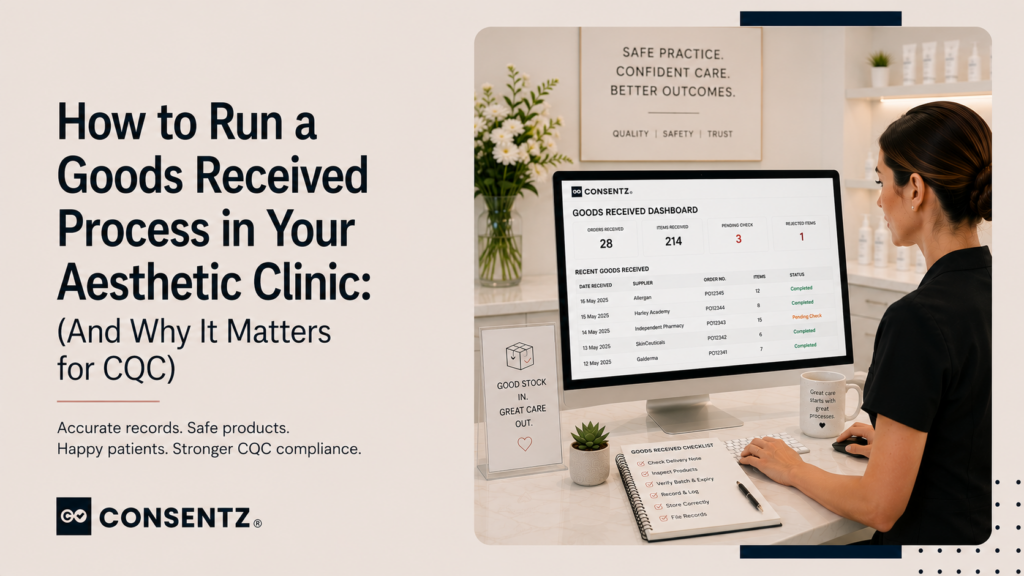
The batch number is the thread that connects these records to everything downstream: the stock balance, the treatment note, and the prescribing record when a POM is used. Consentz’s Goods Received module captures all of this at the point of delivery and automatically updates the batch balance in your stock management system.
Bookings, consent forms, patient records, payments, marketing — Consentz is the aesthetic clinic software that puts it all in one place so you can focus on your patients, not paperwork.
Handling delivery problems — what to do and what to record
Damaged packaging
Do not assume damaged product is usable. Photograph the damage, do not add the product to stock, contact the supplier immediately, and record the resolution. The principle is non-negotiable: never use product from a compromised delivery without manufacturer guidance.
Cold chain concerns
If packaging arrives unusually warm, the delivery was delayed without notice, or no cool pack was included when required, do not add the product to stock. Contact the supplier and manufacturer before using it. Record the concern, your communication, and the outcome — this is CQC compliance documentation in practice, not just good administration.
Batch or quantity discrepancies
If the batch number or quantity on the physical product does not match the delivery note, document the discrepancy and query it before using the product. A discrepancy is not necessarily a safety issue, but it must be resolved and recorded.
Product recalls — why this process saves you in a crisis
The MHRA issues recalls for injectable products with some regularity. When one arrives, you have a short window to respond:
- Identify whether you hold or have used the recalled batch
- Quarantine remaining stock from that batch immediately
- Identify and contact every patient treated with that batch
- Return or dispose of stock as the MHRA directs
- Document your response and submit a Yellow Card report if required
Step 3 — finding which patients were treated with a specific batch — is only possible if your goods received records link to your clinical data management system and treatment notes. With that chain in place, it is a single query. Without it, you are searching manually through paper records across weeks or months of appointments.
Failing a CQC inspection because medicines management records were incomplete has serious consequences. For what happens when things go wrong, the CQC enforcement process covers the stages from improvement notice to registration cancellation.
Approved suppliers
CQC inspectors and professional indemnity insurers may ask where your injectables come from. Purchasing prescription medicines from unlicensed or grey-market suppliers may void your indemnity and expose you to MHRA enforcement regardless of whether the products are genuine. Your goods received process should cross-reference every delivery against an approved supplier list, with a record of how you verified each supplier’s MHRA licence.
Frequently asked questions
1. What records do I need to keep when injectables are delivered?
Every delivery needs a goods received entry covering: date, supplier, product name and brand, quantity, batch number, expiry date, condition on arrival, and the name of the person who checked it. This record should be stored in your clinic management system alongside your stock records — not in a separate folder or spreadsheet — so that it is immediately retrievable during an inspection.
2. Does CQC check goods received records during inspection?
Yes. CQC inspection teams specifically look for evidence of a complete medicines management chain. They may ask to trace a product from delivery record through to patient administration, checking that batch numbers, expiry dates, and quantities are consistent throughout. Gaps in that chain are a significant finding under the Safe domain.
3. How do I match delivery notes to what I actually stock?
Use the batch number as the shared reference across goods received, stock records, and treatment notes. When you log a delivery, the batch number goes into both the goods received record and the stock entry. When that batch is used in a treatment, the same reference appears in the treatment note. Any discrepancy between received, stocked, and used quantities should be immediately traceable.
4. What happens if there is a recall on a product I have already used?
You need to identify which patients received product from that batch and contact them with the appropriate safety information. If your batch records are linked to your patient treatment notes in a single system, this takes minutes. If they exist in separate places — a goods received spreadsheet and a paper treatment book — you are looking at a manual search that may take days and will almost certainly be incomplete.
5. Should goods received records be linked to the batch tracking system?
Yes — this connection is the entire point of maintaining goods received records in a clinical context. A delivery log that exists in isolation from your stock and treatment records satisfies the letter of the requirement but not the spirit. The MHRA expects full traceability: every vial should be traceable from the delivery note to the patient’s arm. That chain only exists when the systems are connected.