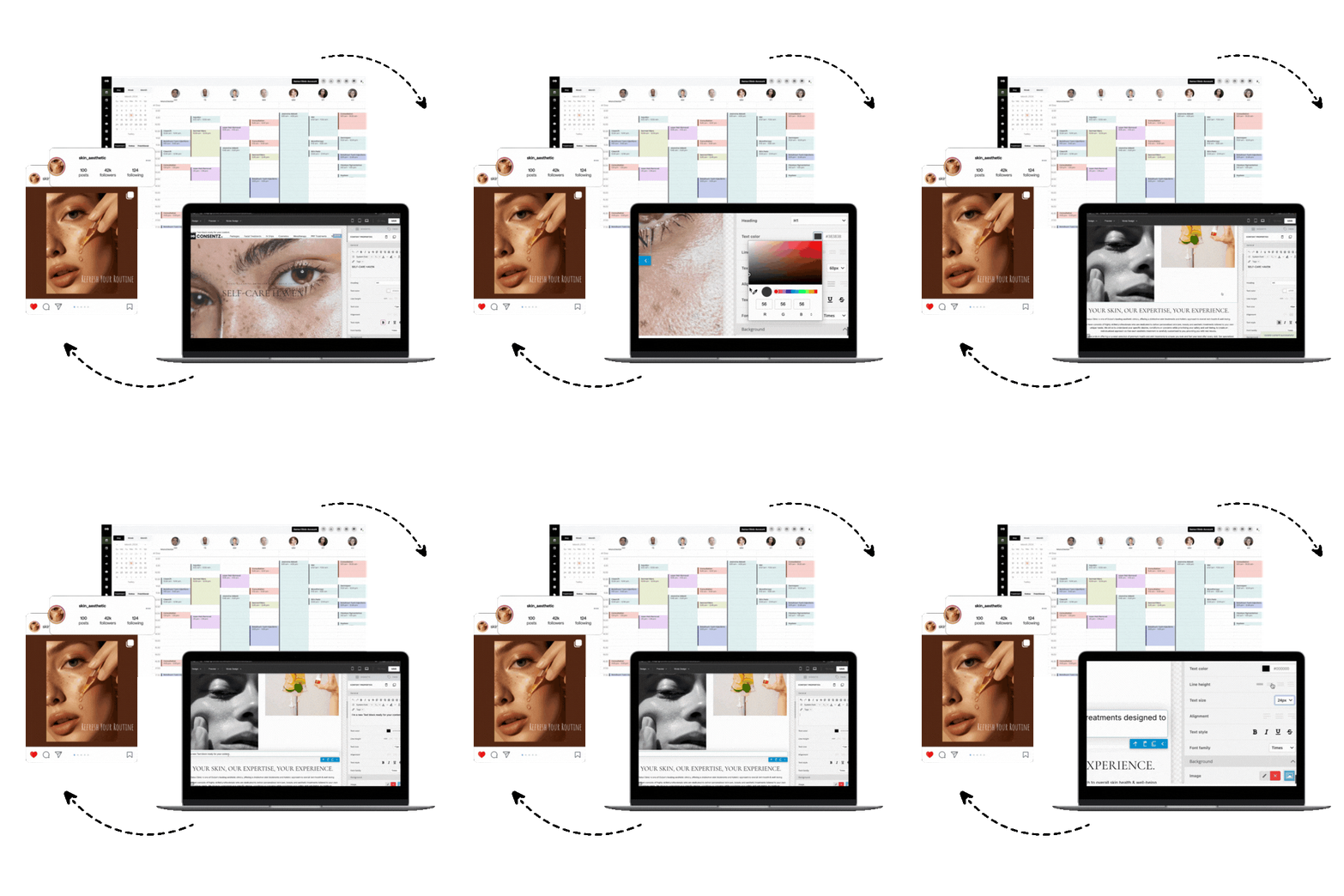
In aesthetics and plastic surgery, a picture is worth more than a thousand words. It’s a critical part of the patient record, a tool for education, and proof of your incredible work. But managing these sensitive images on personal phones or scattered across different files is a recipe for inefficiency and risk. That’s where dedicated plastic surgery photo software comes in, transforming your visual documentation from a chore into a powerful asset. This guide explores every facet of modern clinical imaging systems, showing you how the right software can protect your practice, improve patient outcomes, and fuel your growth.
The Core Workflow: Capturing and Managing Images
At its heart, plastic surgery photo software is about mastering the visual patient journey. It starts with capturing high quality images and using them to track progress and communicate results effectively.
Why Before and After Photos are Your Clinic’s Best Asset
Before and after photo management is the practice of systematically capturing, organizing, and comparing patient photos. These image pairs are powerful tools that visually document a patient’s transformation. In plastic surgery and dermatology, clinical photography isn’t just nice to have, it’s an essential part of patient care. If you run a derm clinic, see our dermatology clinic software in the USA for workflows that make consistent before and after photography effortless. High quality, consistent before and after photos build trust and show potential clients realistic outcomes. To ensure comparisons are accurate, it’s crucial to maintain consistent lighting, angles, and camera settings. When managed well, a gallery of these images enhances your clinic’s credibility and educates patients by showing them what’s possible.
Seamless In Exam Photo Capture
In exam photo capture means using a mobile device like a tablet or smartphone to take patient photos directly in the exam room and integrate them instantly into the medical record. This workflow saves time, ensures images are correctly tagged to the right patient, and avoids major security risks. Shockingly, one survey found that nearly 65% of clinicians had taken medically sensitive images on a personal smartphone, often without patient consent. The best plastic surgery photo software provides a secure mobile app that captures photos and saves them directly to an encrypted, centralized system, never to the device’s public camera roll. An efficient workflow can take as few as 10 to 11 taps to capture and save an image, preventing staff from using insecure personal devices.
The Importance of High Resolution Images
High resolution photo capture is vital for preserving the fine details needed to diagnose and monitor subtle changes. Modern smartphones and tablets are more than capable, with many cameras offering 12 megapixels or higher, which is adequate for most clinical needs. High resolution images are crucial for seeing things like changes in a mole or fine wrinkles. With the decreasing cost of digital storage, there’s little reason to use grainy, low detail shots in patient records anymore.
Making Comparisons Easy with a Smart Workflow
A photo comparison workflow allows clinicians to easily view two or more patient images side by side to assess changes over time. Good software will lock the images so you can zoom and pan on both simultaneously, making it easy to compare specific areas. Some advanced systems even offer a “ghosting” overlay, where the before image is laid transparently over the live camera view to help you perfectly align the new shot. This feature, found in platforms like the Consentz Medical App, ensures that comparisons are incredibly accurate. Side by side comparisons are also powerful for patient communication, as they provide an objective view of progress that both the provider and patient can see.
Enhancing Photos for Clinical Precision
Modern plastic surgery photo software goes beyond simple storage. It provides tools to add critical context to your images, turning a standard photo into a detailed clinical document.
Drawing on Photos for Clearer Communication
Image annotation is the act of marking up a clinical photo with notes, drawings, or measurements to highlight important details. For example, a surgeon can draw proposed incision lines on a patient’s photo, or a practitioner can circle areas of concern and add text labels. This brings incredible precision to your notes, linking visual evidence directly to your clinical findings and reducing any ambiguity. By marking what matters directly on the image, you improve communication with your team and create a richer medical record.
Mapping Treatments with a Body Atlas
A body atlas is a digital diagram of the human body that allows clinicians to mark specific locations, like a map of the patient’s anatomy. This feature, known as anatomical visualization, helps you precisely document where a treatment was applied or a condition was observed. For example, you can click on a digital face to map injection sites or indicate the location of skin lesions. This kind of visual mapping makes documentation clearer and more standardized, ensuring anyone reviewing the chart knows exactly where an issue was located.
Organizing Your Visual Library
As your clinic grows, so does your library of images. Without a smart system, finding a specific photo can feel like searching for a needle in a haystack.
Smart Tagging for Quick Photo Retrieval
Image tagging is the process of attaching labels or metadata (like date, procedure, body area, or condition) to your photos to make them easily searchable. A well designed plastic surgery photo software will do much of this automatically. When you need to find all photos of a certain patient’s progress over time, you can filter or search by these tags in seconds. This capability is only possible if images carry consistent tags, which is why an automated system is so valuable for quick retrieval and keeping your visual data organized.
How Plastic Surgery Photo Software Fits Into Your Clinic’s Tech Stack
A great photo management tool doesn’t live on an island. It should seamlessly connect with the other systems you use every day, creating a unified and efficient clinical environment.
The Power of Visual Documentation and EHR Integration
Visual documentation integration with an Electronic Health Record (EHR) means the process of capturing and viewing images is woven directly into your charting workflow. Instead of being a separate attachment, photos become a native part of the patient record, visible right alongside your notes. This streamlines your work and improves patient safety. A specialist can log into the EHR and immediately see the images taken by another provider, which is far clearer than a written description alone. Efficient photo integration has been shown to enhance patient care, improve documentation quality, and foster collaboration among providers. New to the terminology? See what Electronic Medical Records (EMR) are.
Ensuring EHR Compatibility and Interoperability
Beyond simple integration, true EHR compatibility and interoperability mean your clinical photos can be easily shared and viewed across different health information systems. This prevents images from being stuck in a software silo. In the past, clinicians have had to resort to taking screenshots from one system to put into another because of poor integration. Modern systems avoid this by using standardized formats and metadata, ensuring a seamless flow of information that reduces duplicate work and provides a more complete clinical picture. If you’re unsure about the terms, our guide to EHR vs. EMR vs. PHR breaks down the differences.
Connecting with Hospital Systems: PACS Integration
For clinics that collaborate with larger institutions, PACS (Picture Archiving and Communication System) integration is a key consideration. PACS is the system hospitals use for radiological images like X rays and CT scans. Integrating your clinical photos with a PACS or a similar vendor neutral archive allows all of a patient’s images, regardless of type, to be managed uniformly. This breaks down information silos and ensures that any authorized clinician can access a patient’s complete imaging history in one place.
Elevating the Patient Consultation Experience
The right plastic surgery photo software can also be a powerful tool during consultations, helping you educate patients, set realistic expectations, and demonstrate the value of your services.
Simulating Results: 3D Morphing and Patient Try On Apps
A three dimensional visualization and morphing simulator creates a 3D model of a patient’s body part and allows you to simulate the potential outcomes of a procedure. Tools like Vectra or Crisalix can render a 3D model from 2D photos, which you can then “morph” to show a patient an approximation of their post procedure look. Surgeons find these tools act as a communication bridge, aligning what a patient imagines with what is surgically achievable.
A related trend is the rise of the plastic surgery try on app, which patients can use on their own smartphones. These apps use augmented reality to let users upload a photo and see a simulated preview of procedures like rhinoplasty or lip fillers. While these apps can be a great way for patients to start their journey and articulate their goals, it is vital for clinicians to guide the conversation. A patient may arrive with a simulation that is not surgically realistic, so a professional in clinic tool is essential for grounding expectations and creating an achievable plan.
Educating Patients with Visuals and Photo Galleries
Visual aids and photo galleries are incredibly effective for patient education. Showing a gallery of real before and after photos helps patients understand what results are achievable and makes the abstract idea of “improvement” much more concrete. A well curated gallery can answer common questions and visually walk a prospective patient through the journey, helping them feel more prepared and confident about their decision. For help turning galleries into growth, see our aesthetic clinic marketing resources.
Assessing Results: The Role of Aesthetic Outcome Assessment
Aesthetic outcome assessment is the structured evaluation of treatment results. This process often combines clinical evaluations, patient feedback, and photographic comparisons to judge the level of improvement. Using before and after photos alongside tools like patient satisfaction surveys or a Global Aesthetic Improvement Scale helps you quantify outcomes. Advanced imaging and simulations are even shaping how post procedure satisfaction is measured by helping to set realistic expectations from the very first consultation.
A Word of Caution on AI Generated Images
While AI generated simulations can be intriguing for showing a potential outcome, they must be used with extreme caution. If these simulations set unrealistic expectations, they can seriously undermine patient trust. Transparency is key, patients must always be told when an image is a simulation, not a real clinical photo. Overly “perfect” AI predictions can be misleading, as real results have natural variations. It is often safer and more ethical to show a range of real patient results rather than a single, computer generated ideal.
Protecting Your Patients and Your Practice
Beyond features and workflows, the most critical aspects of any plastic surgery photo software are its security and compliance capabilities. Handling sensitive patient images carries enormous responsibility. Read why your clinic’s records must be bulletproof.
Mastering HIPAA Compliant Image Handling
Under U.S. HIPAA regulations, any photograph that can identify a patient is considered Protected Health Information (PHI) and must be safeguarded. Unfortunately, a survey revealed that 46% of clinicians admitted to storing clinical photos on personal smartphones with minimal security. HIPAA compliant image handling involves using secure, encrypted storage, controlling access, and obtaining proper patient consent. The consequences of failure can be catastrophic, in one case, hackers stole 900 GB of cosmetic patient photos from a clinic. Your software should use strong encryption both in transit and at rest. U.S. clinics can explore our Aesthetic Clinic Software in USA for an all in one platform with secure photo workflows and consent built in.
Managing Photo Consent and Releases Like a Pro
Photo consent and release management is the process of obtaining and tracking patient permissions for clinical photography. A survey disturbingly found that 24% of doctors took clinical photos without any patient consent at all. A robust system ensures every image is backed by proper authorization. This means using digital consent forms where patients agree to be photographed for specific purposes (like their medical record) and separate release forms if those photos might be used for marketing or education. An integrated system like Consentz can capture a patient’s digital signature on a form and automatically log it in their file, so you always know which images have a release for public use.
Understanding Cost and Licensing Models
When selecting software, cost and licensing are practical factors. Solutions range from standalone apps to comprehensive, subscription based platforms. While cost is always a concern, it must be weighed against the immense risk of a data breach. In 2019 alone, healthcare data breaches were estimated to have caused around $20 billion in damages. Investing in a reputable, secure system is a safeguard against these potentially devastating losses. Look for transparent subscription models that include updates, support, and sufficient storage for your clinic’s needs.
How to Choose the Best Plastic Surgery Photo Software for Your Clinic
Selecting the right visual documentation software requires a careful evaluation of your clinic’s needs. If you’re a one person clinic, a streamlined setup like our spa software for solo practitioners can cover photos, consent, booking, and billing without bolting on extra tools. Here are the key criteria to consider:
- EHR Integration: Does the software work seamlessly with your existing EHR, or is it an all in one system? Standalone apps can create frustrating data silos.
- Ease of Use: Is the workflow quick and intuitive? If it’s not easy for your staff to use, they won’t use it consistently.
- Image Quality and Tools: Does it support high resolution images? What annotation and comparison tools are included?
- Search and Retrieval: Can you quickly find images by patient, date, procedure, or other tags?
- Security and Compliance: The software must be HIPAA compliant and offer robust security features like end to end encryption and audit logs.
- Patient Experience: Does the platform offer any patient facing features, like a portal to view their own progress photos?
- Vendor Support: Is the vendor reliable and responsive? Good support and training are essential for a smooth rollout.
- Scalability and Cost: Does the pricing model make sense for your clinic today and as you grow?
Finding a solution that balances these factors is key. An all in one platform designed specifically for aesthetics can simplify your life immensely. To make a confident decision, request a demo to see how the software works in a real world setting.
Frequently Asked Questions About Plastic Surgery Photo Software
What makes photo software HIPAA compliant?
HIPAA compliant software must include features like end to end encryption for data in transit and at rest, strict access controls to ensure only authorized users can view images, and detailed audit logs that track all user activity. It should also be offered by a vendor who will sign a Business Associate Agreement (BAA).
Can I just use my smartphone to take clinical photos?
No, using a personal smartphone and its default camera roll is not recommended. It creates significant security and privacy risks and often violates HIPAA. Secure plastic surgery photo software provides a dedicated app that bypasses the phone’s public gallery and sends images directly to an encrypted, compliant cloud server.
How much does plastic surgery photo software typically cost?
Costs vary widely. Some are part of larger, all in one practice management subscriptions that might start around £50 to £80 per month and scale up based on the number of users and features. Standalone apps may have different pricing models. It’s best to compare a few options that fit your clinic’s specific needs.
What is the difference between image annotation and a body atlas?
Image annotation involves drawing or writing directly on an actual patient photograph to highlight a specific feature. A body atlas is a generic anatomical diagram or 3D model where you can mark locations to indicate where a treatment was performed, providing a standardized map of your work.
Does this software need to integrate with my EHR?
While not strictly required, tight integration is highly recommended. An integrated system saves time, reduces errors, and ensures that your visual records are a seamless part of the complete patient chart, which is the gold standard for quality documentation.
What is “ghosting” in before and after photos?
Ghosting is an advanced feature where a semi transparent “ghost” of the “before” photo is overlaid on the live camera view while you are taking the “after” photo. This helps you perfectly align the patient’s angle, distance, and pose for a more accurate and professional looking comparison.